Directory Listing
An opt-in profile in the public care-provider directory, so families searching for a clinician can find you. Nothing publishes until you turn the listing on, and families see only what you enter here.
Find it at Avatar menu → Profile → Directory Listing.
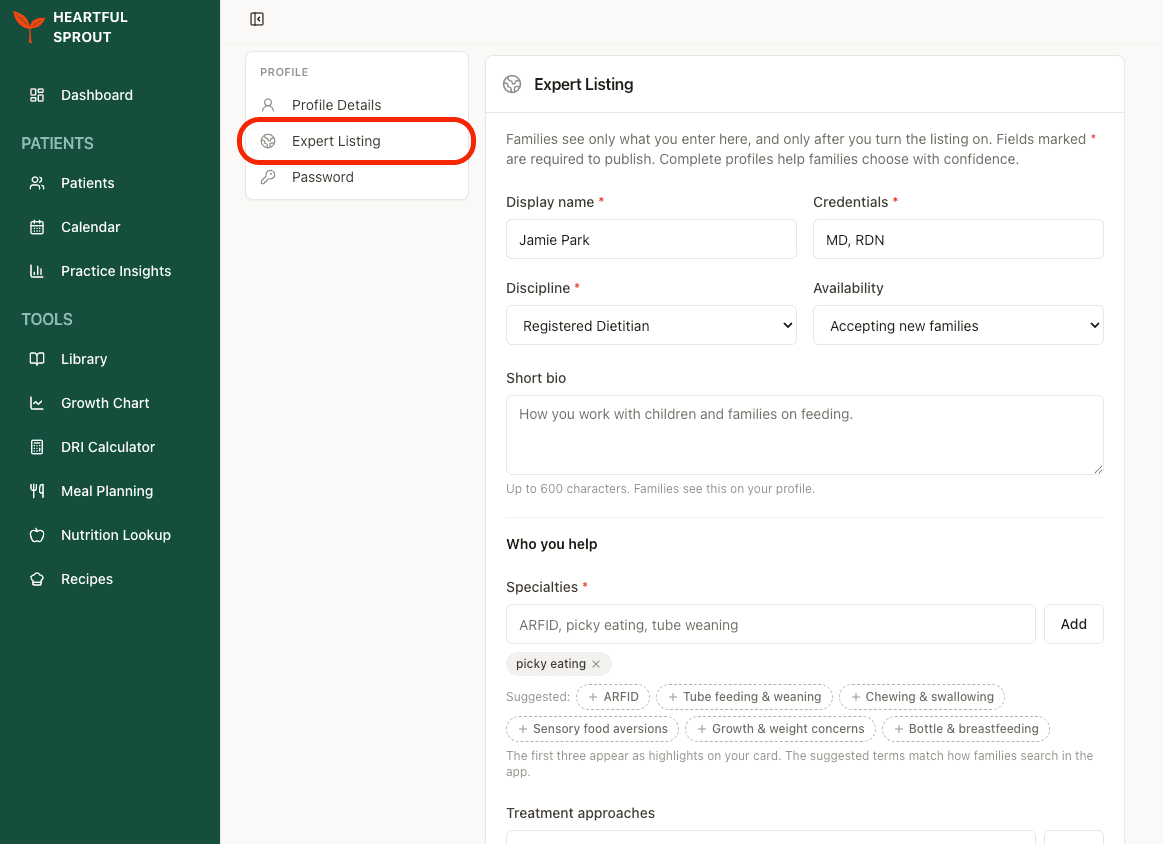
What you fill in
| Group | Fields |
|---|---|
| Who you are | Display name*, Credentials*, Discipline*, Availability, Short bio (600 characters) |
| Who you help | Specialties*, Treatment approaches, ages served, languages, certifications |
| Where and how | Telehealth or in-person, city, state, states licensed |
| Practical details | Insurance accepted, self-pay, whether you provide superbills, fee range |
| Reaching you | Contact email, phone, booking link, website, instructions for families |
* Required before the listing can publish.
- Specialties offer suggested terms — ARFID, tube feeding & weaning, chewing & swallowing, sensory food aversions, growth & weight concerns, bottle & breastfeeding. These match how families actually search, so prefer them over free text.
- The first three specialties become the highlights on your directory card.
Publishing
Three things, in order — the switch alone won't do it.
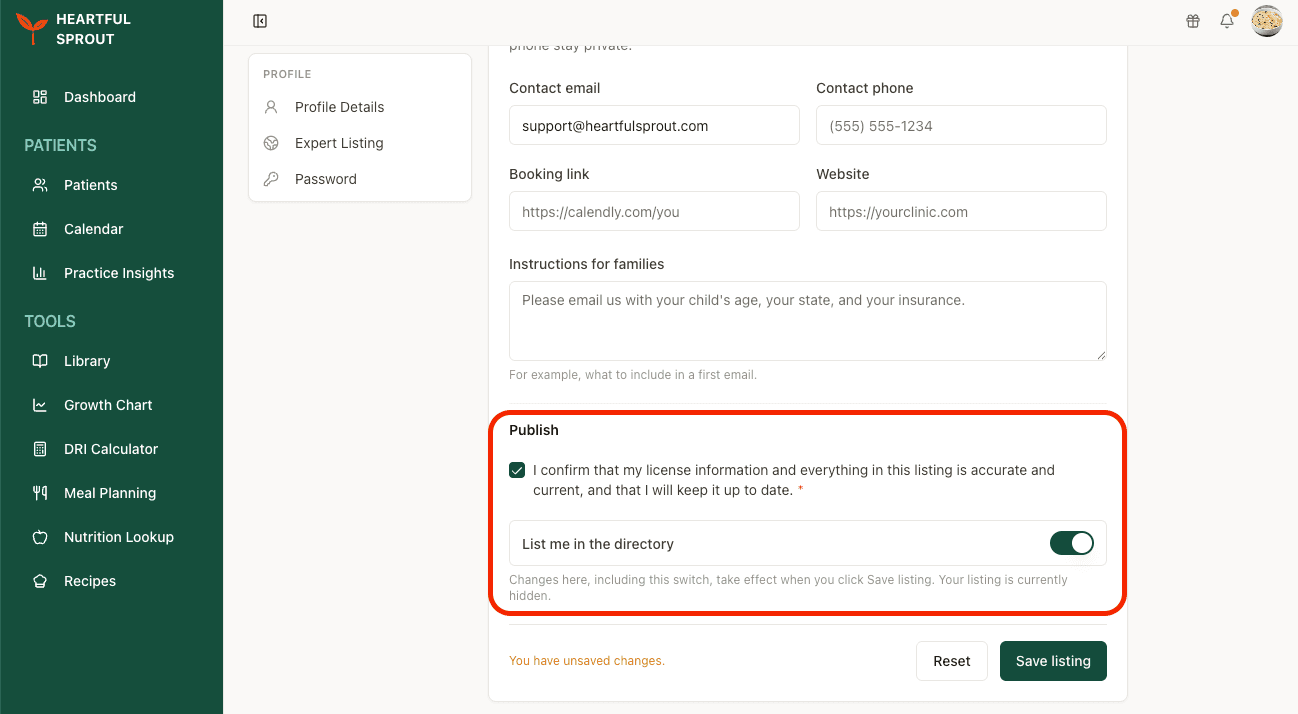
- Tick the attestation: I confirm that my license information and everything in this listing is accurate and current, and that I will keep it up to date. Required.
- Turn on List me in the directory.
- Click Save listing. Nothing takes effect until you do — the switch included. Until then the block reads "Your listing is currently hidden," and an unsaved-changes warning sits next to the button.
To come off the directory later, turn the switch off and save again.
Related
- Sign up & profile — the rest of the Profile page
- Settings — app preferences, caseload & focus, layout