Plans, seats & patient limits
Plan tier controls how many active patients and team seats your organization can have.
Tiers
| Tier | Patients | Team seats | Price |
|---|---|---|---|
| Free | 10 | 1 | Free — stays free forever with 3 referrals |
| Pro | 40 | 2 | $99/mo or $990/yr |
| Practice | 200 | 5 | $199/mo or $1,990/yr |
| Enterprise | Unlimited | Unlimited | Custom contract — kay@heartfulsprout.com |
Patient add-ons
Need more patients without jumping tiers:
| Plan | Add-on options |
|---|---|
| Pro | +10 ($20/mo) · +25 ($50/mo) · +50 ($100/mo) |
| Practice | +50 ($75/mo) · +100 ($150/mo) · +250 ($375/mo) |
Referrals
On the Free plan, a Refer a colleague gift icon appears in the header. Three successful referrals keep your account free permanently.
Upgrading
Avatar menu → Billing → Change Plan (admins only). Checkout runs through Stripe — see Subscription billing.
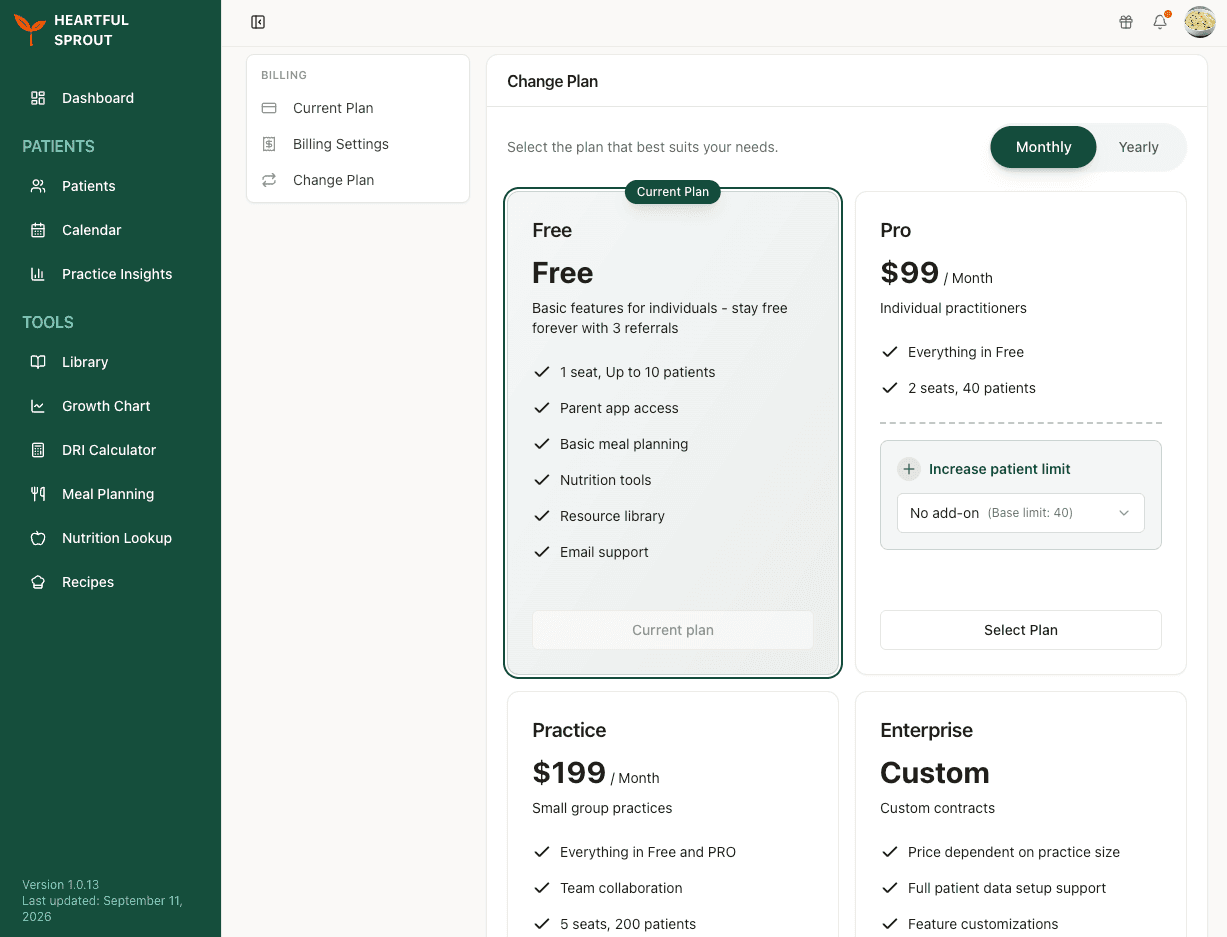
The Monthly / Yearly toggle at the top right reprices every card at once. Your current tier is badged Current Plan and its button is disabled. Pro and Practice cards carry an Increase patient limit picker, so you can add capacity from the same screen instead of moving up a tier.
How patient seats are counted
- One patient seat = one active patient on the roster; the Patients page shows a "3 of 10 patient slots used"-style counter.
- Archived patients don't count.
- At the cap, the Add New Patient button becomes an upgrade prompt; existing patients keep working.
- Team invites require a plan with more than one seat — see Team members & roles.
Subscription billing
How you pay for the Clinician Platform itself. Everything lives at Avatar menu → Billing, with sections Current Plan, Billing Settings, and Change Plan (Change Plan is admins only).
Payment
- Stripe-based subscription, monthly or yearly. Yearly saves roughly two months (Pro $990/yr, Practice $1,990/yr).
- Patient add-ons extend a tier without jumping plans; the Current Plan card shows any active add-on. See Plans, seats, patient limits.
Plan changes
| Change | When it takes effect |
|---|---|
| Upgrade | Immediately, prorated |
| Downgrade to another paid tier | Immediately, prorated |
| Downgrade to Free (cancel) | End of the current billing period |
Cancelling
- Avatar menu → Billing → Change Plan → Cancel on your current plan's card. Admins only; members can't change or cancel the subscription.
- Access continues through the paid period and a "Subscription Ending" banner appears with a Renew option in case you change your mind.
- Data is retained after cancellation; you drop to Free-plan limits.
Need an invoice copy, a custom contract, or a multi-seat enterprise quote? Email kay@heartfulsprout.com.
Your billing details
Your billing details, pulled into the Superbill and CMS-1500 when you generate them. Fill these in before your first billing document.
Where to set this
Go to Avatar menu → Billing, then pick Billing Settings from the list on the left. It sits on the Billing page rather than under Settings, alongside Current Plan and Change Plan.
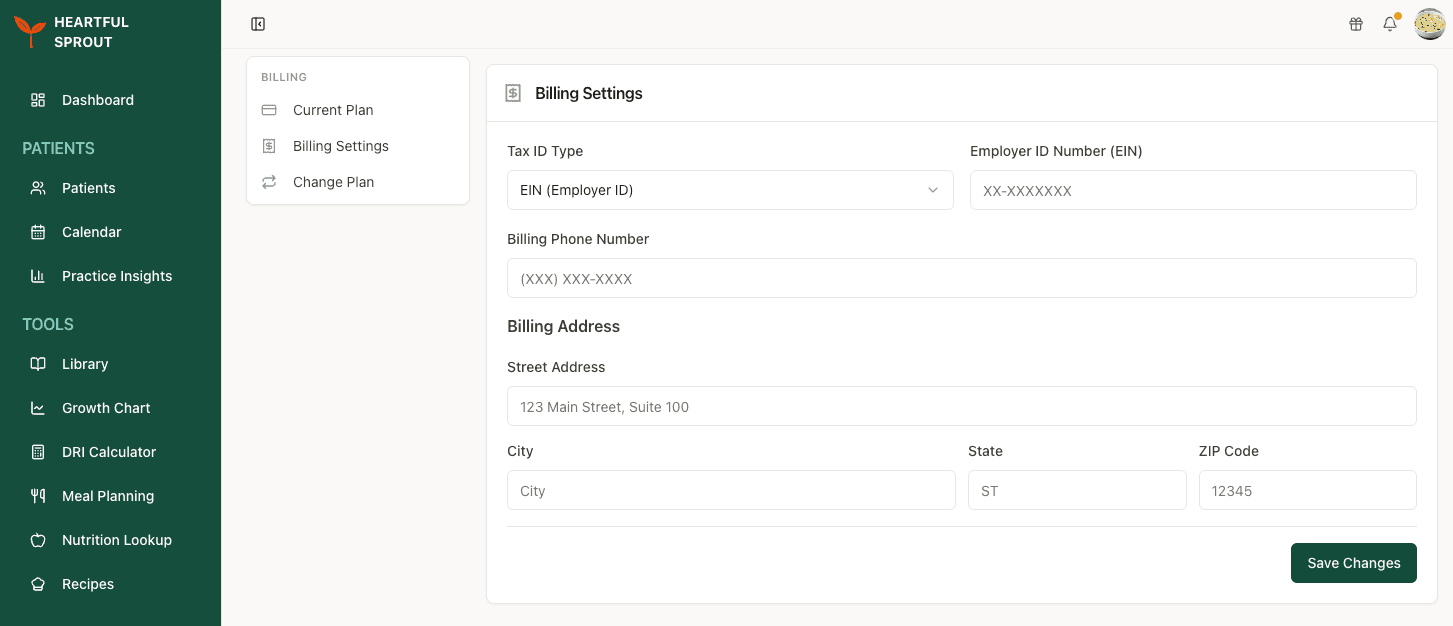
Each clinician fills in their own. These details are not shared across an organization, so a colleague's entries will not appear on your documents.
Fields
Every field here prints on both the Superbill and the CMS-1500.
| Field | Notes |
|---|---|
| Tax ID Type | Choose EIN (Employer ID) or SSN (Social Security). Your choice relabels the field beside it |
| Employer ID Number (EIN) or Social Security Number | The number itself |
| Billing Phone Number | |
| Billing Address | Street address, city, state, and ZIP code |
Click Save Changes when you are done. Anything you leave empty prints as a blank space on the finished document, so fill these in before you generate your first one.