What's in Care Plan
Care Plan holds everything you prescribe or assign to a family, as opposed to Trends, which holds what they send back. It works the same way Trends does: a list of sections down the left, and the one you pick opens beside it.
Sections that don't apply to a patient are greyed out rather than hidden, so you can always see what exists.
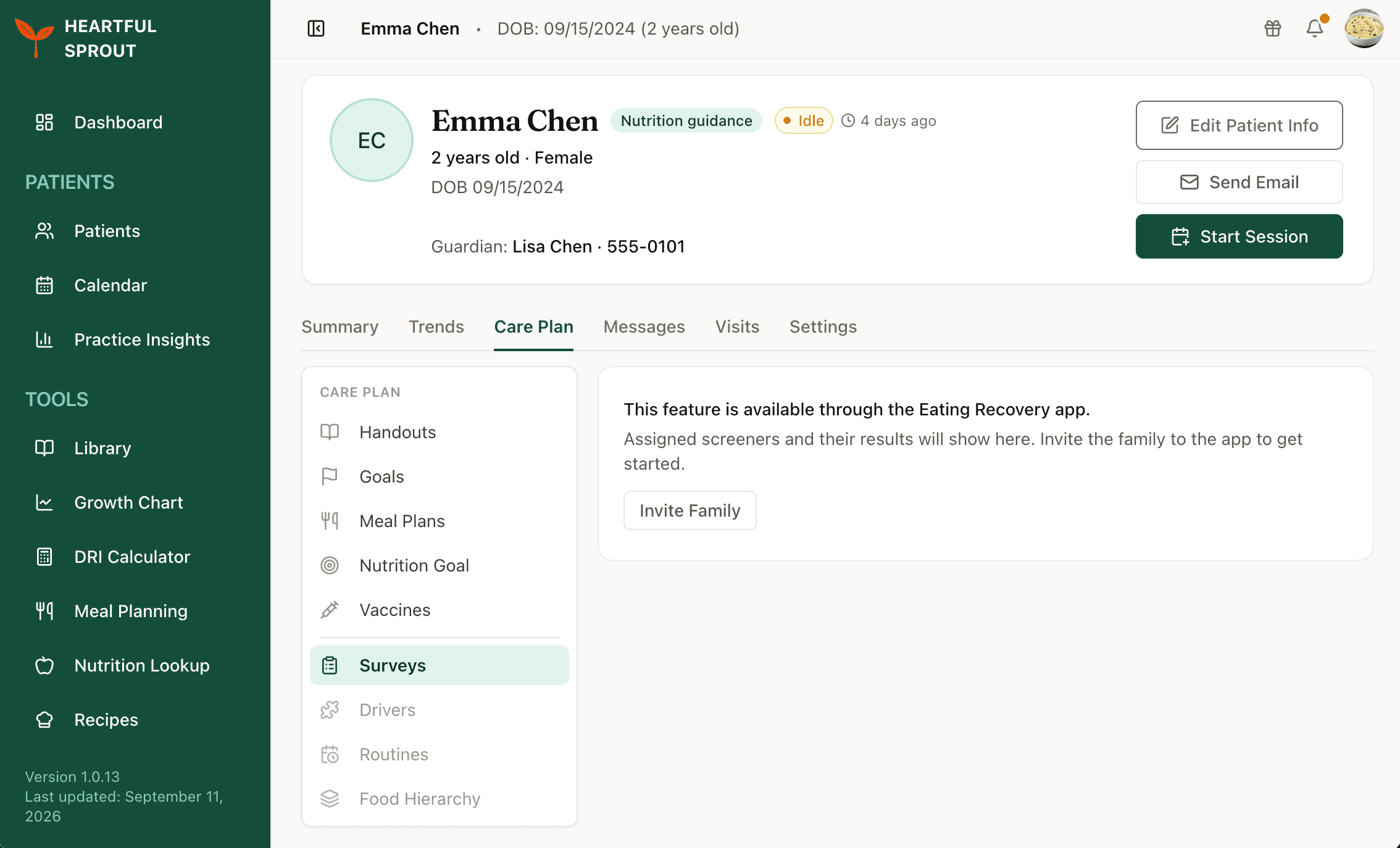
Which app feeds each section
| Section | Heartful Sprout | Heartful Baby | Eating Recovery | Active for |
|---|---|---|---|---|
| Handouts | ✅ | ✅ | Families on either of those two apps | |
| Goals | All patients. Stored on the patient record, so no app is required | |||
| Meal Plans | ✅ | Families on Sprout, or with nutrition already logged | ||
| Nutrition Goal | ✅ | Same as Meal Plans | ||
| Vaccines | ✅ | Everyone by default. Turned off by hand in Chart Setup, or by a preset | ||
| Recovery Plan | ✅ | Eating Recovery patients only | ||
| Surveys | ✅ | Eating Recovery patients. Assignable before they connect | ||
| Drivers | ✅ | Eating Recovery patients, once connected | ||
| Routines | ✅ | Eating Recovery patients. Assignable before they connect | ||
| Food Hierarchy | ✅ | Eating Recovery patients, once connected |
A greyed-out section still opens, and tells you what it needs to switch on.