Quick Start
Welcome to Heartful Sprout. This page is the short linear path from sign-up to your first invited patient — about fifteen minutes end-to-end.
1. Create your provider account
- Enter your work email and a password, then verify your NPI. Your name must match what's registered with your NPI — we verify against the NPI registry on submit.
- Add designation, provider type, and organization name.
- Answer the three practice profile questions (patient population, clinical focus, care model) — they shape your default views and can be changed anytime in Settings.
Field reference: Sign up & profile.
2. Onboard your first patient
2.1 Add the patient
From the Patients tab → Add New Patient.
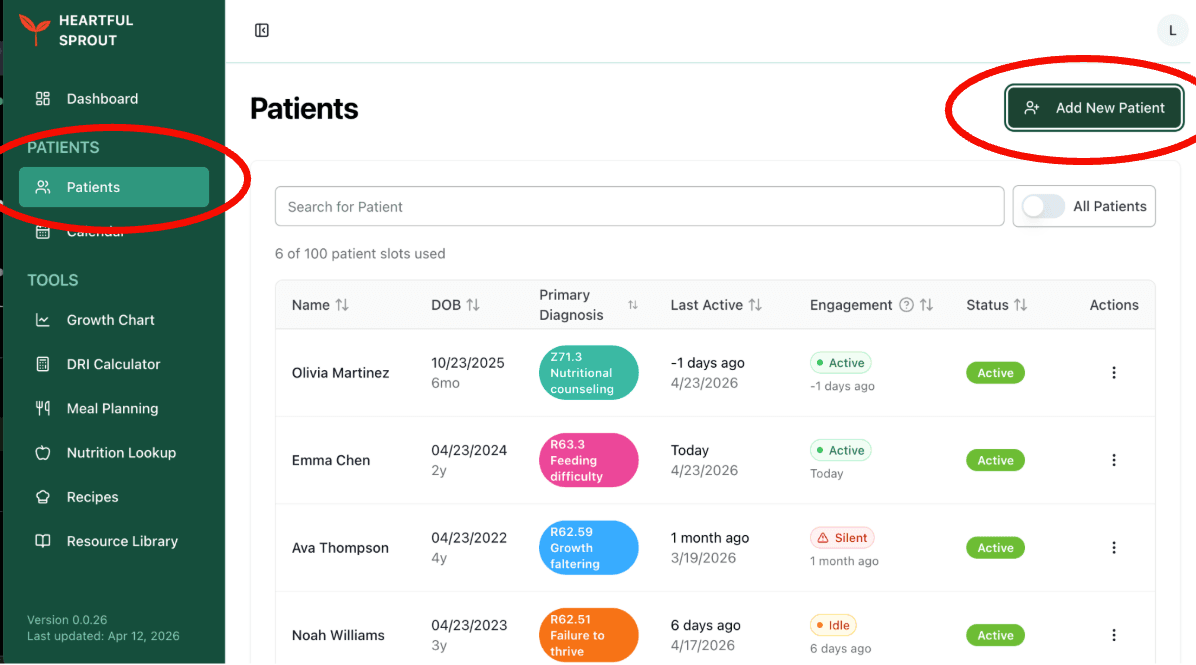
Fill in the patient's name and date of birth (plus gestational age for preterm infants), and the parent/guardian's name and contact email — that's where the invite goes.
2.2 Turn on a program
Pick the program that fits the family — one is usually right to start:
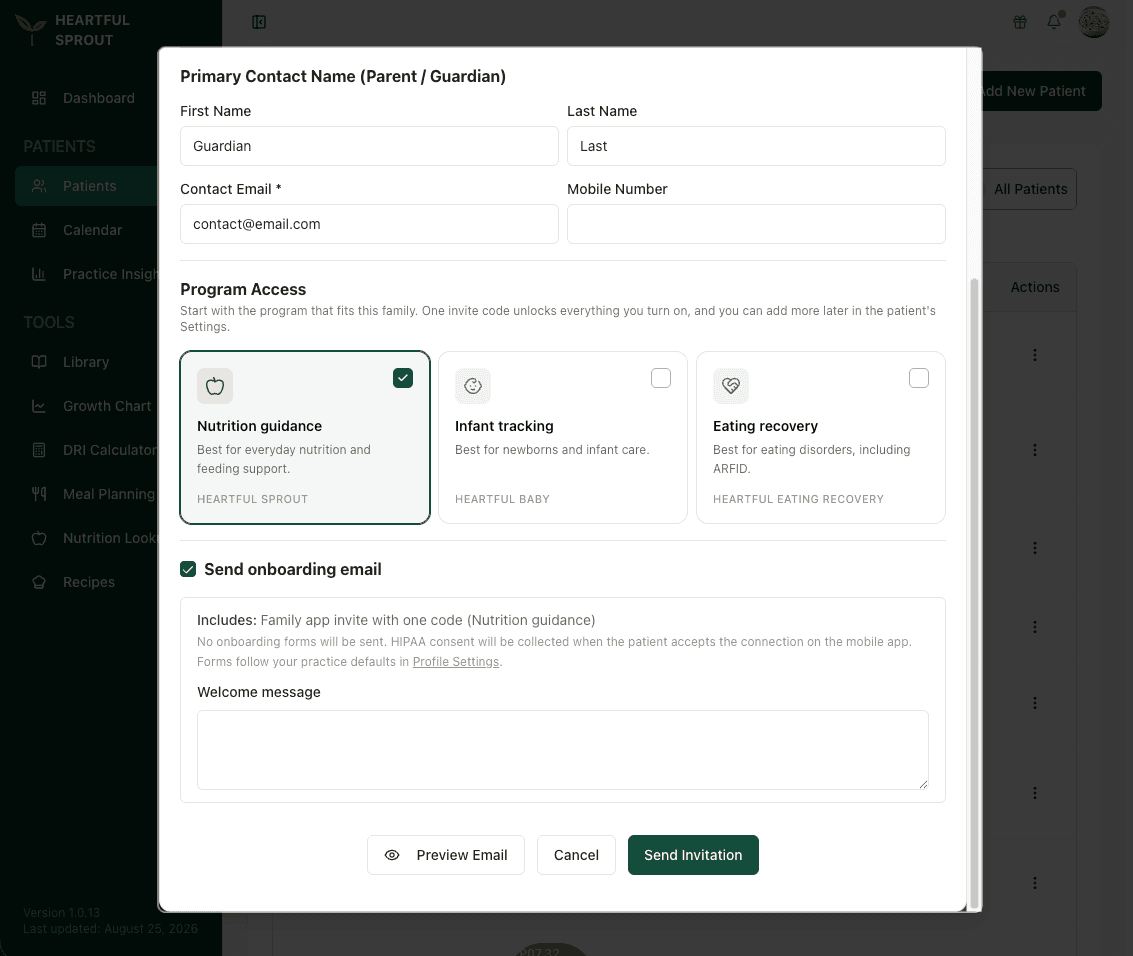
- Nutrition guidance → Heartful Sprout — meal plans, recipes, everyday feeding support
- Infant tracking → Heartful Baby — feeds, diapers, sleep, growth logging
- Eating recovery → Eating Recovery app — home practice, check-ins, screeners, messaging
One invite code unlocks every app you turn on, and the provider connection is built in — once the family enters the code and completes HIPAA consent, their logs flow back to your patient record. You can add more programs later from the patient's Settings.
Not sure which? See Which app to recommend. Details: Invite a family.
2.3 Send the invitation
- Keep Send onboarding email checked — the email carries the invite code, download links, and any onboarding forms your defaults require. Use Preview Email to see it first.
- Prefer your own voice? Send with the email templates instead.
- Automatic reminders go out on day 3 and day 7 until onboarding is complete.
2.4 Find the invite code later
Patient record → Settings → Program Access
Copy it, re-send the reminder email, or issue a fresh code from there. More: The invite code.
3. Recipe uploading (optional)
Want to bring your own recipes into the library? Reach out to your point of contact at Heartful Sprout.
You already have access to the full community recipe library out of the box.
4. Continue setup
| Step | Page |
|---|---|
| Set note format and units | Preferences |
| Connect Google Calendar | Google Calendar |
| Connect Calendly | Calendly |
| Tune the invite experience | Patient onboarding defaults |
| Follow the in-app checklist | Dashboard → Getting Started |
A note on clinical judgment
Heartful Sprout's recommendations are decision support. Review every suggestion against your own professional judgment before acting on it.
Need help?
| Question type | Contact |
|---|---|
| Technical support | support@heartfulsprout.com |
| General inquiries, billing, feature requests | kay@heartfulsprout.com |
HIPAA reminder. Don't share patient health information (PHI) directly with individual team members. Use support@ — it's the HIPAA-aware channel.