Adding a patient
From Patients → Add New Patient, or quick-add from a Calendly event.
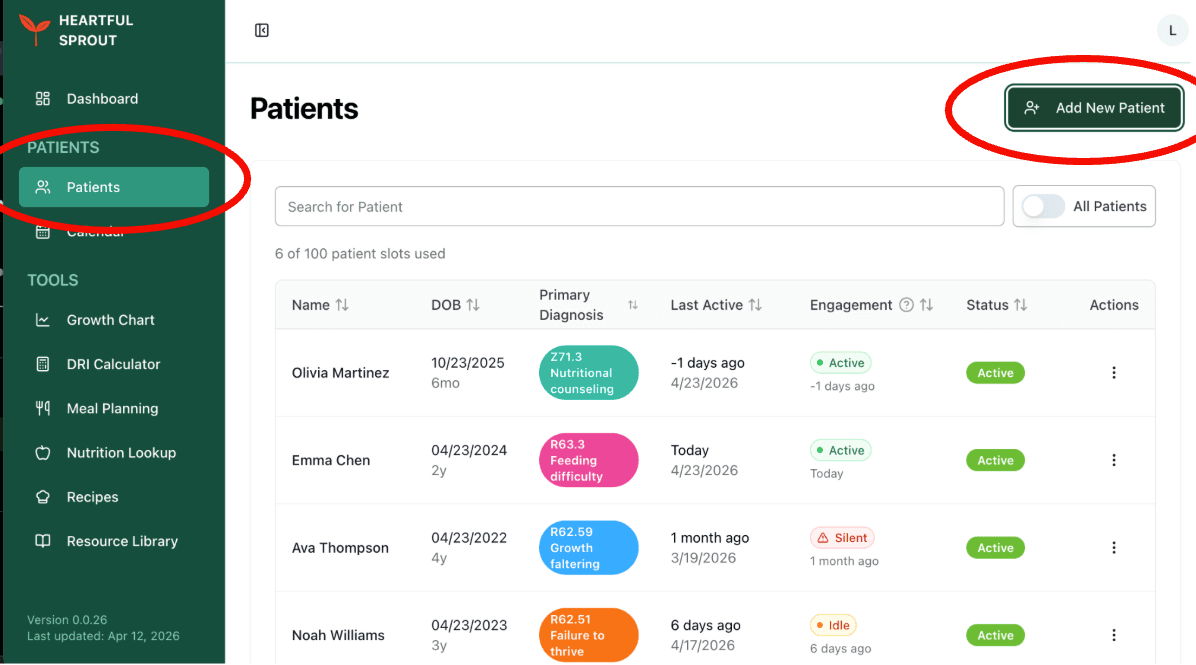
At your plan's patient cap, the button reads Upgrade Plan For Higher Patient Limit and links to Billing. Viewers don't see the button at all.
The Add New Patient dialog
Four sections, top to bottom.
1. Patient (Child)
| Field | Required | Notes |
|---|---|---|
| First / Last name | ✓ | |
| Date of Birth | Drives age-based DRI targets and chart selection | |
| Gestational Age (weeks) | 22–42; leave blank for full-term. Enables the Fenton chart and corrected age |
2. Primary Contact (Parent / Guardian)
| Field | Required | Notes |
|---|---|---|
| First / Last name | ||
| Contact Email | ✓ | Where the invite is sent |
| Mobile Number |
3. Program Access
Pick the program(s) that fit the family — Nutrition guidance (Heartful Sprout), Infant tracking (Heartful Baby), Eating recovery (coming soon). One invite code unlocks everything you turn on, and you can add more later from the patient's Settings.
- Nutrition guidance is pre-selected by default.
- Selecting more than one triggers a gentle nudge — most families do best starting with one.
- Select none to create a record-only patient (documentation without an app).
Details: Programs & invite options. Not sure which app fits? See Which app to recommend.
4. Send onboarding email
- The checkbox shows an Includes: line summarizing what the email will carry — registration form, insurance form, HIPAA authorization, custom forms, and the app invite with the code — based on your onboarding defaults.
- Add an optional welcome message, and use Preview Email to see exactly what the family receives.
- Unchecking it creates the patient as ACTIVE immediately with nothing sent. The dialog warns you if your defaults require onboarding forms — families can't complete forms without the email.
Submit with Send Invitation (or Create Patient when no email is being sent).
After submitting
- The platform mints one invite code for all selected programs and grants the family premium access to each app.
- If the email was sent, automatic reminders follow on day 3 and day 7 until onboarding is complete.
- Find or re-share the code anytime: Patient record → Settings → Program Access. See The invite code.
Quick-add from Calendly
When a Calendly event has an invitee without a matched patient, the calendar shows a Create patient prompt pre-filled with name and email.
Screenshots coming soon.